Random Thoughts.....What Are You Thinking?

Random Thoughts.....What are you thinking?



I wanted to post a Nicki Minaj gif but then I realized most of them look like soft porn and are probably against the rules lol.
[+]



Valefor.Sehachan said: »
I wanted to post a Nicki Minaj gif but then I realized most of them look like soft porn and are probably against the rules lol.
Please don't offend softcore like that.
[+]


She looks superweird, but there are people who are into that. Whatever it is.


I even like her songs(or those I know)...minus the dubstep chorus.

Candlejack said: »
I have no hard liquor on hand.
I found the problem... the first step is to go pick up some scotch or bourbon.
You will also need
rocks glass
couple ice cubes
a bare hand for a good hard slap in the face
I think you should spam it more.
[+]



Watching Mike Rowe harvest something called slime eels... This is gross.
[+]
Go to run and type DXdiag
screenshot and post display tab
screenshot and post display tab
Anna Ruthven said: »
Watching Mike Rowe harvest something called slime eels... This is gross.
That's what they make eelskin wallets from!
/can't wait all day
if it looks like this you have the wrong display adapter/monitor driver installed for your monitor the three options should be available

if it looks like this you have the wrong display adapter/monitor driver installed for your monitor the three options should be available
Shiva.Nikolce said: »
/can't wait all day

aaaaaand just send a 500+ word email rant to my boss about a teacher at the other school because she is being a huge coont.
[+]



Candlejack said: »
Trying to get into FFXI for the F2p weekend, keep getting the "direct3d failed to initialize" error...
Ideas?
Ideas?
Make sure your graphics card is installed properly.
Shiva.Nikolce said: »
there is a drop down box where you can pick/choose what expansion to install. in there is the option to install the direct X 3d
choose that and that only and click install
choose that and that only and click install
Asura.Antisociall said: »
Not 100% sure... If you're on PC (windows 8/10) , Control Panel > Programs > Turn Windows Features On or Off > Legacy Components > Tick DirectPlay.
I Think that's how I fixed it a while back....Worth a try anyway.
I Think that's how I fixed it a while back....Worth a try anyway.
Not relevant to directx failed to initialize.
Shiva.Nikolce said: »
monitor driver
Generally not needed.
Candlejack said: »
Meh, *** it. I'll just uninstall completely and give up.
When I get home later tonight I should be able to fix it, by chance is this a laptop with integrated and dedicated graphics?

Josiahkf said: »
Restart your computer, uninstall eerything ffxi then restart again and do a fresh install from the website files you downloaded, making sure to include direct x then restart again then try to run ffxi
Josiahkf said: »
making sure to include direct x
Again, no. You do not need to install directx 8.1 from the FFXI installer.
right?
the worst part is I can't remember the nvidia specific thing you had to do....
you had to go into the playonline files and there is a config or setup file with some boxes to tweak...
/sound of filing boxes being thrown around my brain
it's here somewhere...
Oh also just make sure the driver is up to date, create a restore point first though.
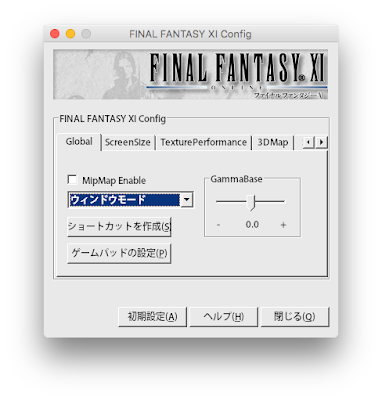
Start -> All Programs -> PlayOnline -> PlayOnline Viewer -> PlayOnline Viewer Config
or go through the playonline files it's in a fairly obviously named folder.
or go through the playonline files it's in a fairly obviously named folder.

All FFXI content and images © 2002-2026 SQUARE ENIX CO., LTD. FINAL
FANTASY is a registered trademark of Square Enix Co., Ltd.