
I recently resubscribed and decided to see how far I could push the idea using modern AI tools to help prototype and test concepts. What started as an experiment turned into GearTree: a Windower addon that transforms GearSwap Lua files into an interactive in-game gear management system.
Instead of searching through hundreds or thousands of lines of Lua, GearTree lets you browse, inspect, organize, and update gear sets directly inside FFXI. The goal wasn't to replace GearSwap, but to make maintaining and navigating large GearSwap files significantly easier.
Why I Built It
As GearSwap files grow, they become harder to navigate and maintain. I wanted a way to browse and manage large GearSwap files from inside the game without constantly tabbing out to search through Lua files.
One of the primary goals was making it easier to maintain large job files and quickly find, inspect, and update sets while playing.
GitHub Release:
https://github.com/tru2/GearTree/releases
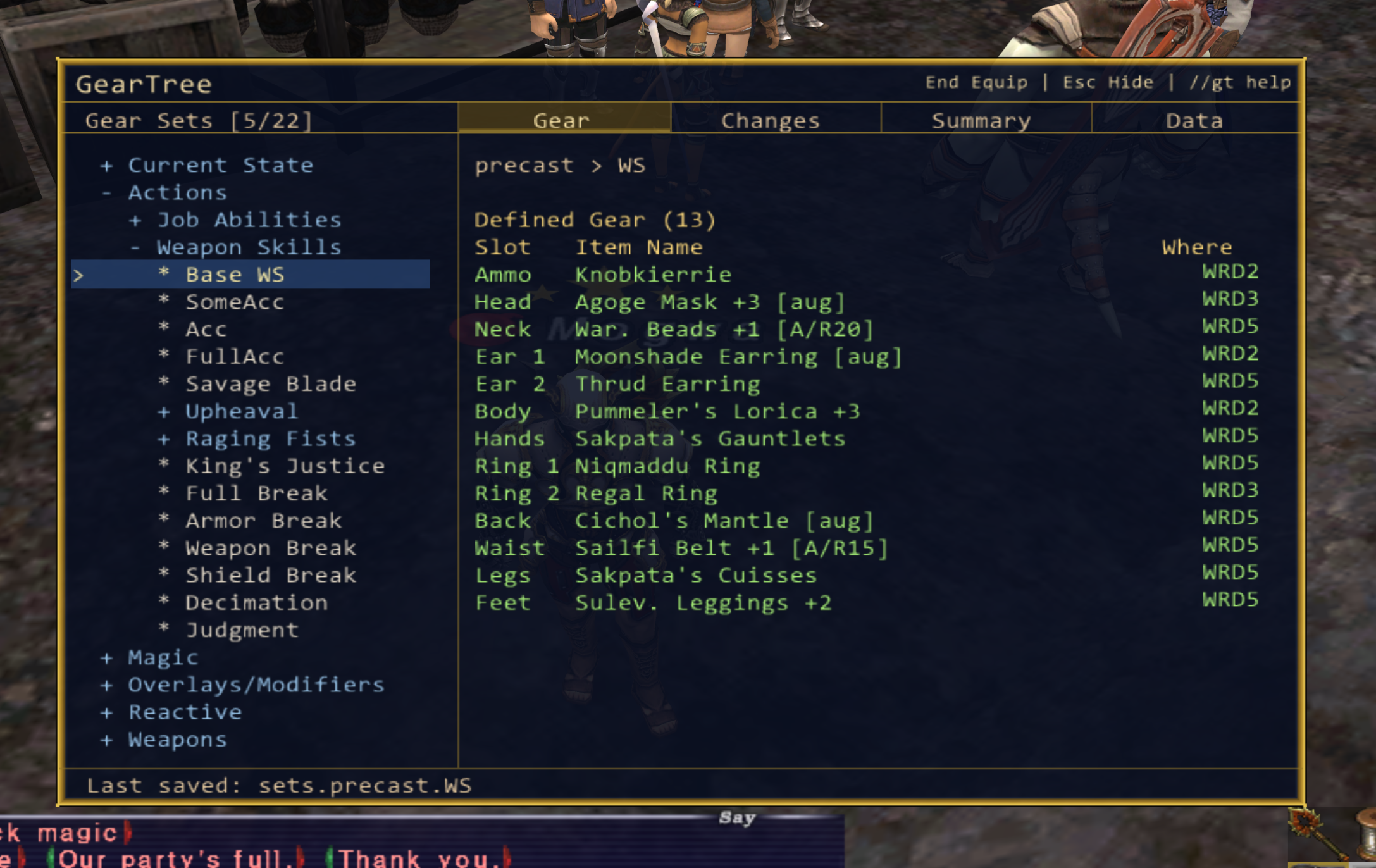
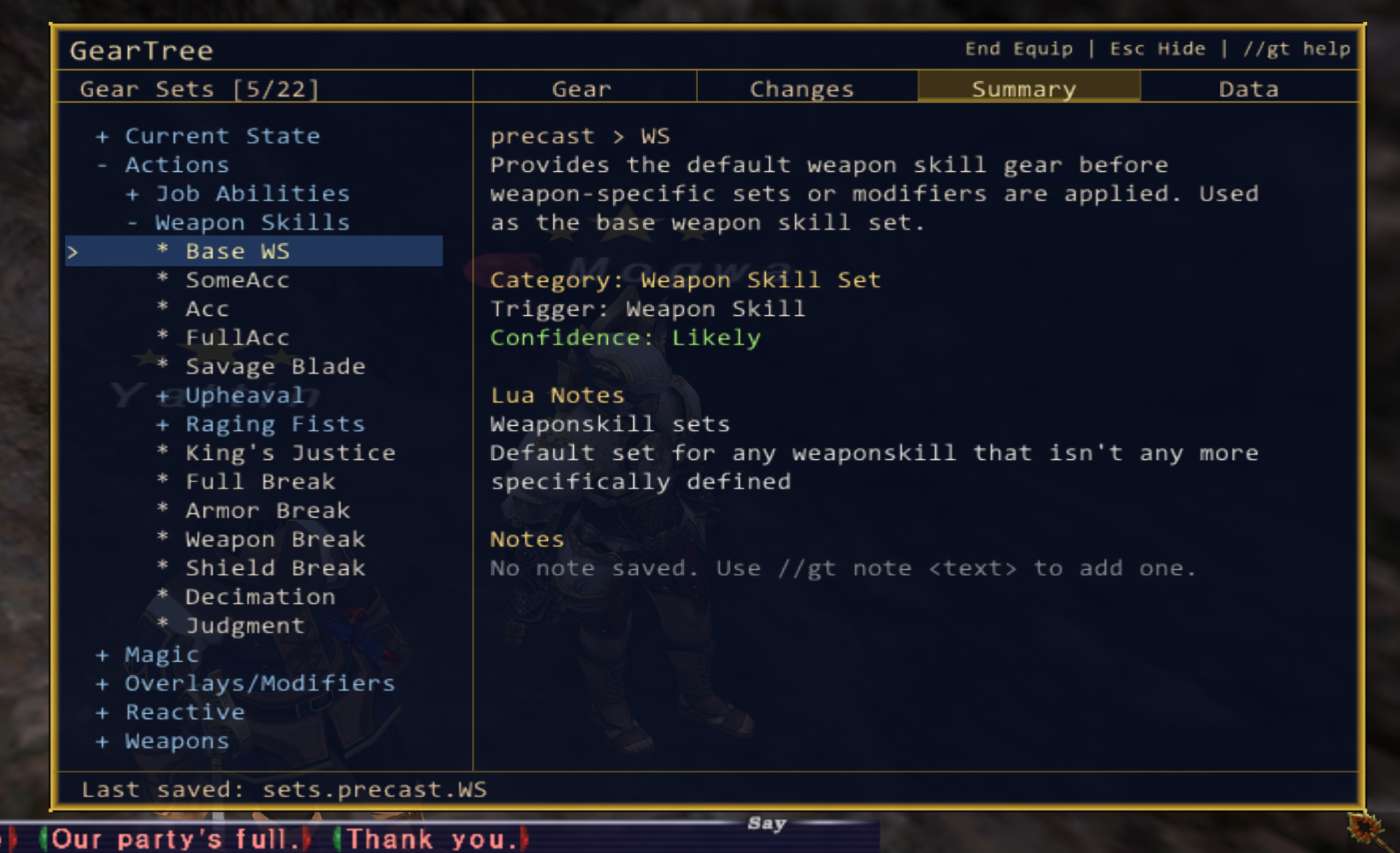
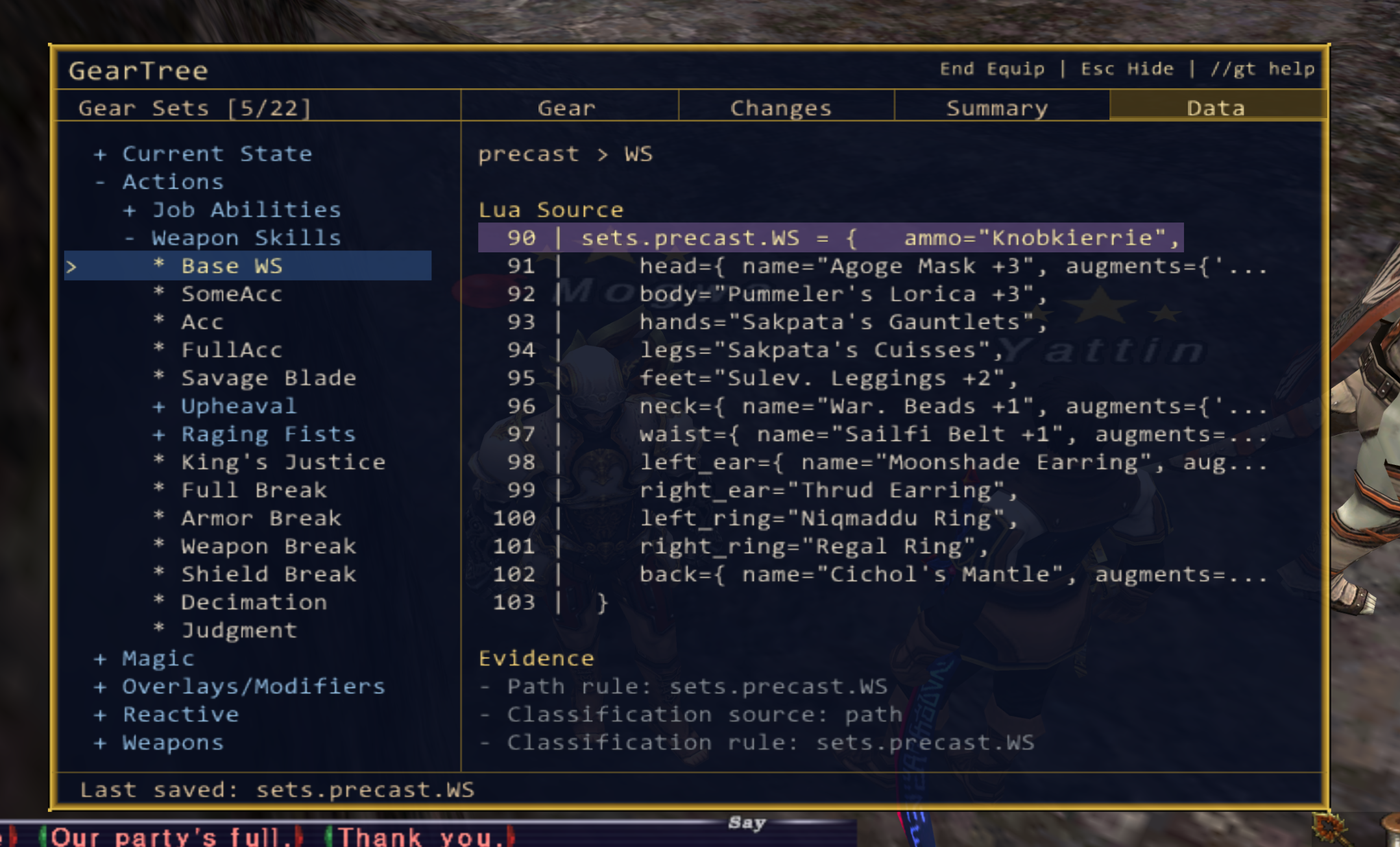
Screenshots
Main Features
Organized gameplay-focused set browsing
Raw GearSwap structure view
Gear inspection and inventory tracking
Inventory and wardrobe location detection
Personal notes for sets and folders
Virtual folders and custom organization
Save equipped gear directly back into GearSwap
Automatic backups before saves
Undo support with //gt undo
Mouse and keyboard navigation
Click Lock support to prevent clicks passing through to FFXI
UI scaling and opacity controls
Useful Commands
//gt help
//gt devhelp
//gt clicklock on
//gt shift on
//gt scale 1.25
//gt opacity 75
//gt cursor on
//gt undo
Recent Update (0.4.1)
Added Click Lock support to prevent mouse clicks from passing through to FFXI while interacting with GearTree.
Shift Mode now uses Shift + Arrow navigation, leaving normal arrow keys available to FFXI.
Both features are enabled by default for new installs.
Existing users may need to manually enable them because GearTree preserves existing settings files.
//gt clicklock on
//gt shift on
Download
Latest Release:
https://github.com/tru2/GearTree/releases
Repository:
https://github.com/tru2/GearTree
Feedback, bug reports, feature requests, and suggestions are always welcome.