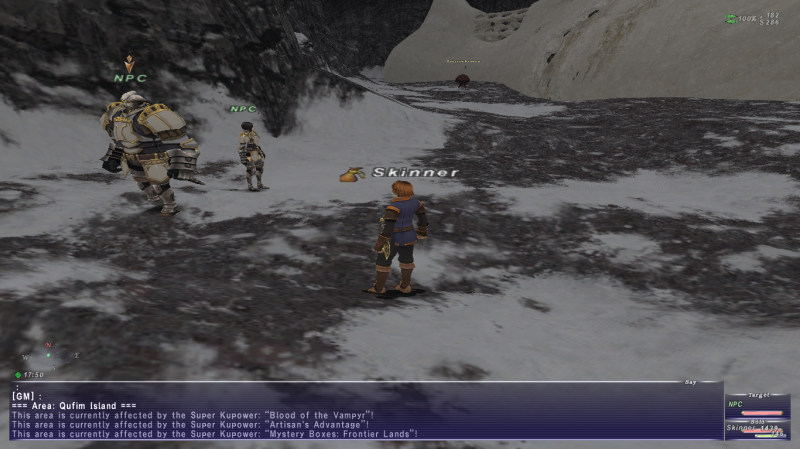
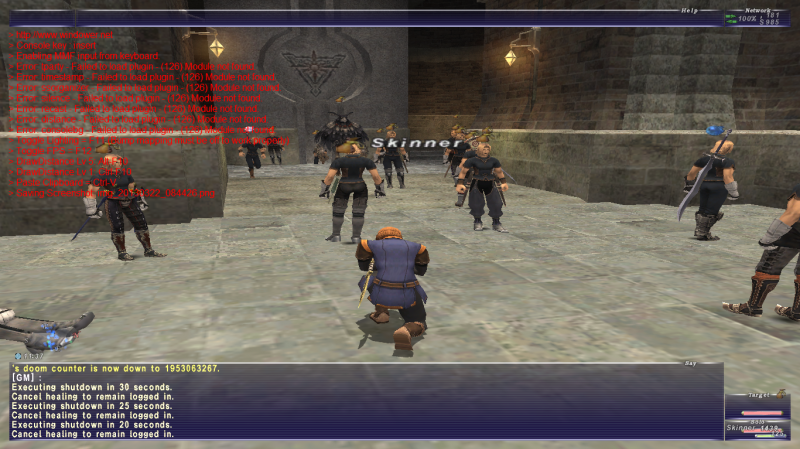
Further info. My gil has letters in it. If i leave my character long enough i get thrown into an extremely random cutscene which i've never seen before. It will repeat over and over and eventually crash. I also get random problems such as "[GM]: ". I assume thats just what happens if someone uses /say or /shout. I also get random things such as "[space] doom count is 98837486294824."
Another thing to note is that Windower doesn't even recognise my screenshots are made on Skinner. It just throws the screenshots into the screenshot folder and not the one labeled "Skinner".
Things i've done:
- Run as Admin.
- Set Intel 3000 graphics to the WDDM 1.2 driver
- Fanny'd around with different nVidia drivers.
- Not using plugins.
Can anyone here help? Is what i'm having here a graphics card issue or is it windower? Impossible to tell? This is doing my nut!
------------------------------
"Failed to initialise Direct3D. Check that this computer has the required specifications to run FINAL FANTASY XI (-1)"
*FIXED* - Set resolution/overlay to full screen resolution. Run as Admin. Use Windower 4. Take out plugin files (not sure what one caused it to crash atm). Most probable cause: having the overlay higher than the resolution (Registry edit req).
Hokay so I see many threads on forums commenting on this. I have read them and I'm still at a loss. Will update with solution when solved! Here the tech bit to save you asking:
M11x R3
Windows 8 64-bit
Intel Graphics 3000 / NVidia GeForce GT 540M (Optimus)
i7 2637M (Sandy Bridge)
FFXI Steam Version
Drivers fully updated.
I was able to access FFXI prior to the last major update. I believe it could have been as far back as Dec 31st. I haven't attempted to access FFXI until yesterday. Completed the update, then got the error messege above when the update finished and attempted to load the larger screen. I updated the game on windower (not that that's an issue).
I upgraded (downgraded) to Windows 8 from Windows 7. Why? rdp was a requirement to remotely transfer audio from your PC at home to a tablet (according to the app). The version of windows 7 I had didn't have rdp, just vnc :(. *** rdp, none of this would have happened if your friend vnc could speak! Anyways, last time I got onto FFXI was when I was running Windows 7, so it could be something to do with Windows 8. I'm pretty convinced this is the source of the problem. I had an issue with steam and windows 7, I think. Maybe it's that whole kuffufle again!
I have had FFXI working just fine for a long time with the Optimus technology so that's not the issue. (Error for that produces a POL crash within seconds or refuses to load POL altogether - took forever to fix, send PM if you have that issue).
What I've tried..
- Restarting the laptop!
- Many Different drivers.
- Changed display resolutions (in .ini file and in registry)
- Used launcher GUI
- Restarting the laptop again!
- Non windowed mode
- Run as Admin.
Also if anyone reads this who owns an M11x R3 - I'm extremely interested in being able to unlock TPL settings in the "Throttlestop" application. Currently it's greyed out. If anyone has managed to 'ungrey' this box using an unlocked BIOS or by other means, please let me know!
Thanks in advance for any help! :)